
CMMC Boundary Protection for a Small Network
CMMC boundary protection is one control you cannot defer to a later fix. Your network edge must be locked down and documented before your assessment starts.
CMMC Ready Now, in Leesburg, Virginia, provides CMMC compliance consulting for defense contractors: gap assessments, remediation and C3PAO preparation.
In This Article
This week, Pivot Point Security published a walkthrough of conditional CMMC status. Conditional status lets some Level 2 gaps sit on a plan for later. Boundary protection is not one of them.
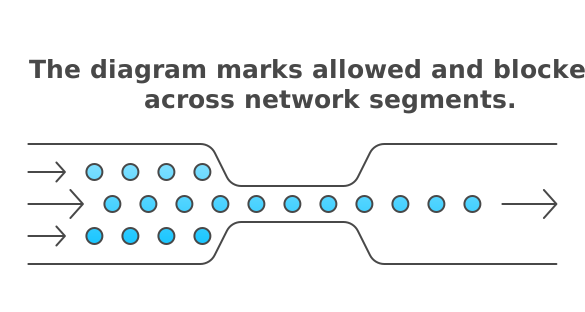
What does CMMC boundary protection actually require?
At Level 1, two requirements apply. Both come from FAR 52.204-21.
- SC.L1-B.1.X: Monitor, control and protect communications at your external and key internal boundaries.
- SC.L1-B.1.XI: Put systems the public can reach on subnetworks apart from your internal network.
Level 2 carries these forward as SC.L2-3.13.1 and SC.L2-3.13.5. It then adds two more boundary rules.
- SC.L2-3.13.6: Deny network traffic by default and allow it only by exception.
- SC.L2-3.13.7: Stop remote devices from split tunneling. A device on your VPN should not also reach the internet on a side path.
Note the three verbs: monitor, control and protect. An assessor checks each one separately.
Can boundary protection wait until after my assessment?
No. At Level 1, no gap can go on a POA&M. The CMMC rule at 32 CFR 170.21 does not allow it.
At Level 2, conditional status lets some gaps wait. Only requirements worth one point qualify, plus one narrow exception for encryption.
SC.L2-3.13.1, SC.L2-3.13.5 and SC.L2-3.13.6 each carry more weight than one point. They must be met when the assessment happens.
SC.L2-3.13.7 is worth one point, so it could go on a POA&M. Do not plan on that. The fix is often a single VPN setting.
What counts as a boundary on a small network?
Your external boundary is where your network meets the outside world. For most small shops, that is the firewall behind the internet line.
It is rarely the only edge. Look for these:
- Remote staff who connect by VPN.
- Cloud services that hold FCI or CUI, such as email or file storage.
- Guest Wi-Fi.
- Shop floor machines, printers and cameras.
- Any server the public can reach.
Key internal boundaries split trusted areas from less trusted ones. Guest Wi-Fi should never share a network with CUI. Devices you cannot patch belong on their own segment.
For SC.L2-3.13.5, a public-facing server needs its own subnetwork. This is often called a DMZ. If a vendor hosts your website, it may sit outside your boundary already.
What does deny by default look like on a small firewall?
Start by blocking everything. Then open only what the business needs.
NIST says SC.L2-3.13.6 covers inbound and outbound traffic. Many small shops lock down inbound and leave outbound wide open. That does not meet the requirement.
A practical order of work:
- List the services your team truly uses.
- Write one allow rule for each, with a business reason.
- Block everything else, in both directions.
- Turn on logging for blocked and allowed traffic.
- Review the rules on a set schedule.
Then set your VPN to send all traffic through the tunnel. That is how most shops meet SC.L2-3.13.7.
A consumer router on factory settings rarely gives you the logs you need. Monitoring is part of the requirement, not an extra.
What will an assessor ask to see?
NIST SP 800-171A splits SC.L2-3.13.1 into eight objectives. First you define your external and key internal boundaries. Then you show you monitor, control and protect each one.
Have this evidence ready:
- A current network diagram with every boundary marked.
- The firewall rule set, with a reason for each rule.
- Logs that show traffic is watched, and who reviews them.
- The section of your SSP that explains your boundary design.
- Records of firewall rule changes.
Your diagram and rules must match the real network. Assessors can test the setup, not just read the paperwork.
Would Your Evidence Hold Up?
Check each requirement against its assessment objectives before your assessor does. CMMC Ready Now can walk through it with you.
Book a Call with RickFrequently Asked Questions
Is a firewall enough for CMMC boundary protection?
A firewall is the core tool, but it is not enough by itself. You also need defined boundaries, deny-by-default rules, monitoring and written records. The assessor checks how the firewall is set up and watched. Owning one is not proof.
What does this mean for my business?
It means your network edge must be secured and documented before assessment day. Level 1 allows no POA&M at all. The main Level 2 boundary requirements cannot go on one either. Start with an accurate network diagram and a review of every firewall rule.
Does guest Wi-Fi need its own network?
Yes, guest Wi-Fi should be kept apart from any system that handles FCI or CUI. That split is a key internal boundary under SC.L1-B.1.X and SC.L2-3.13.1. It keeps unknown devices away from covered data.
Do I need a DMZ if a vendor hosts my website?
Usually not for that website. SC.L1-B.1.XI and SC.L2-3.13.5 apply to public-facing systems inside your own environment. If you host nothing the public can reach, say so in your SSP. That shows the assessor your reasoning.
Does outbound traffic really matter?
Yes, outbound traffic matters. NIST guidance for SC.L2-3.13.6 covers traffic in both directions. Open outbound rules let malware call home and let data leave quietly. Allow only the outbound services your business needs.
Sources
- 32 CFR Part 170, CMMC Program rule (eCFR) (ecfr.gov)
- FAR 52.204-21, Basic Safeguarding of Covered Contractor Information Systems (acquisition.gov)
- NIST SP 800-171 Rev. 2 (csrc.nist.gov)
- NIST SP 800-171A (csrc.nist.gov)
- DoD CIO CMMC program page (dodcio.defense.gov)
- Pivot Point Security, CMMC Certification: What It Means and When You Need It (pivotpointsecurity.com)