
CMMC Access Control: Where the 22 AC Requirements Actually Fail
Most Access Control findings in a CMMC Level 2 assessment do not come from missing technology. They come from missing proof: an assessment objective in NIST SP 800-171A that the contractor never defined, never wrote down, or cannot show working on assessment day.
In This Article
- Why Does the Access Control Family Produce So Many Findings?
- What Does AC.L2-3.1.1 Require You to Prove?
- How Do You Show Control Over the Flow of CUI?
- Why Do Privilege Requirements Trip Up Small IT Teams?
- What Do Assessors Look For in Remote Access and Mobile Controls?
- Which Access Control Requirements Cannot Go on a POA&M?
- Frequently Asked Questions
The Access Control (AC) family is the largest in NIST SP 800-171 Rev. 2, with 22 requirements (AC.L2-3.1.1 through AC.L2-3.1.22). That size is why it deserves a requirement-by-requirement look before an assessor gives it one.
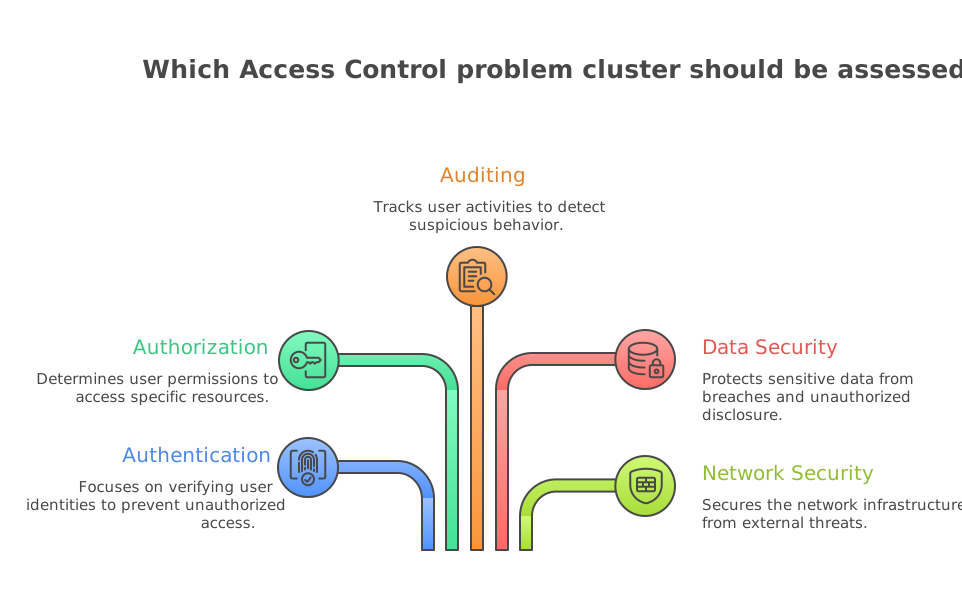
Why Does the Access Control Family Produce So Many Assessment Findings?
This week CyberSheath ran a webinar on what to expect from a DIBCAC assessment, covering what DCMA evaluates and the compliance gaps that come up most often. It is a useful reminder that assessors do not score your tools. They score each requirement against its assessment objectives.
Under the CMMC assessment process, a requirement is MET only when every one of its assessment objectives is satisfied. AC requirements often have four to six objectives each, and many of them start with words like “identified” or “defined.” Those objectives fail when the contractor has the right configuration but no documented decision behind it. A good example is a session lock that works but has no defined inactivity period (AC.L2-3.1.10, objective [a]).
A Note on Honesty
We are not aware of an authoritative public ranking of the most-failed AC requirements that we could cite. The sections below are based on the structure of the 800-171A objectives and on where documentation and evidence most commonly run thin. Treat them as a review checklist, not as statistics.
What Does AC.L2-3.1.1 Actually Require You to Prove?
AC.L2-3.1.1 (Authorized Access Control) has six assessment objectives. You have to identify authorized users [a], processes acting on behalf of authorized users [b], and devices and other systems authorized to connect [c]. Then you have to show that access is limited to each of those three groups [d], [e], [f].
The usual weak spots are [b] and [c]:
- Processes: service accounts, scheduled tasks, backup agents and API integrations that touch CUI but do not appear on any access list.
- Devices: an asset inventory that does not match what is actually connected to the network or enrolled in your identity provider.
AC.L2-3.1.2 (Transaction and Function Control) builds on this. It requires you to define which transactions and functions each authorized user may perform. A role matrix that maps job functions to permissions is the most direct evidence. Under the DoD Assessment Methodology, both 3.1.1 and 3.1.2 carry the highest point value, which matters for POA&M eligibility (covered below).
How Do You Show Control Over the Flow of CUI Under AC.L2-3.1.3?
AC.L2-3.1.3 (Control CUI Flow) asks for more than a firewall. Its objectives require that you:
- define information flow control policies [a]
- define the methods and enforcement mechanisms [b]
- identify designated sources and destinations for CUI [c]
- define authorizations for controlling CUI flow [d]
- enforce those authorizations [e]
Contractors often have the enforcement (DLP rules, email restrictions, firewall policy) but no data flow diagram or written policy that shows where CUI is allowed to go. If an assessor asks “where can CUI leave this enclave, and who approved that path,” the answer should already be on paper and match the technical configuration. Getting the boundary right comes first, and our guide to scoping CUI assets and security protection assets covers it.
Why Do Least Privilege and Privileged Account Requirements Trip Up Small IT Teams?
Three linked requirements cover privilege:
- AC.L2-3.1.5 (Least Privilege): identify privileged accounts and security functions, and authorize access to them on a least-privilege basis.
- AC.L2-3.1.6 (Non-Privileged Account Use): require users to use non-privileged accounts for nonsecurity functions.
- AC.L2-3.1.7 (Privileged Functions): prevent non-privileged users from executing privileged functions, and capture the execution of privileged functions in audit logs (objective [d]).
In small organizations, the person who administers the domain often reads email and browses the web from the same account. That fails AC.L2-3.1.6 directly. Separate administrative accounts are the standard fix.
The logging objective in AC.L2-3.1.7 is easy to miss because it overlaps with the Audit and Accountability family (AU.L2-3.3.1). If privileged actions are not logged and retained, 3.1.7 fails no matter how tight your role assignments are.
AC.L2-3.1.4 (Separation of Duties) is the related requirement small shops find hardest structurally. When one person does everything, you need documented compensating oversight, such as a second reviewer for privileged changes.
What Do Assessors Look For in Remote Access and Mobile Device Controls?
Remote access spans four requirements:
- AC.L2-3.1.12 (Control Remote Access): identify permitted types of remote access, then control and monitor the sessions. Monitoring evidence is a common gap.
- AC.L2-3.1.13 (Remote Access Confidentiality): use cryptographic mechanisms to protect remote sessions. When that encryption protects CUI, it has to meet the FIPS-validated requirement in SC.L2-3.13.11. A VPN that encrypts with a non-validated module is a frequent problem. See our post on the FIPS 140-2 sunset and the move to FIPS 140-3.
- AC.L2-3.1.14 (Remote Access Routing): route remote access through managed access control points. Remote support tools that create their own tunnels around your gateway can break this.
- AC.L2-3.1.15 (Privileged Remote Access): identify and authorize the privileged commands and security-relevant information that can be reached remotely. This applies to your MSP's remote administration as well as your own staff's.
Mobile devices fall under AC.L2-3.1.18 (Mobile Device Connection) and AC.L2-3.1.19 (Encrypt CUI on Mobile). If phones can reach CUI through email or file-sharing apps, they are in scope. You need to show both connection control (typically mobile device management) and encryption of CUI on the device.
Which Access Control Requirements Cannot Be Deferred to a POA&M?
Under 32 CFR 170.21, a Level 2 Conditional status allows a POA&M only if the assessment scores at least 88 of 110, and only for requirements worth one point (with a narrow exception for SC.L2-3.13.11). The regulation also lists specific one-point requirements that can never go on a POA&M. Two of them are in this family:
- AC.L2-3.1.20 (External Connections): identify, verify and control connections to and use of external systems. “External systems” includes personal devices and cloud services outside your assessment boundary, which is why this one is easy to under-scope.
- AC.L2-3.1.22 (Control Public Information): identify who may post publicly accessible content, review content before posting and periodically after, and have a way to remove CUI if it is posted by mistake. Website, social media and press-release workflows all count.
Any AC requirement worth more than one point, including AC.L2-3.1.1 and AC.L2-3.1.2, is also excluded from a POA&M. These have to be fully MET on assessment day. The full rules are in our posts on POA&M rules under 32 CFR 170.21 and the five-point controls you cannot POA&M.
Level 1 contractors have even less room. Level 1 does not allow POA&Ms at all, so all four AC practices from FAR 52.204-21 have to be met in the annual self-assessment:
- AC.L1-B.1.I (Authorized Access Control)
- AC.L1-B.1.II (Transaction and Function Control)
- AC.L1-B.1.III (External Connections)
- AC.L1-B.1.IV (Control Public Information)
When CMMC requirements will appear in your specific contracts depends on the solicitation and on the rollout phase. Phase timing is not settled as of this writing, so we are not projecting a date here. Read the clause in each solicitation.
Would Your Access Control Evidence Hold Up?
Check each of the 22 requirements against its 800-171A assessment objectives before your assessor does. CMMC Ready Now can walk through it with you.
Book a Call with RickFrequently Asked Questions
How many requirements are in the CMMC Access Control family?
At Level 2, the Access Control family has 22 requirements, AC.L2-3.1.1 through AC.L2-3.1.22, taken from NIST SP 800-171 Rev. 2. At Level 1, there are four Access Control practices, AC.L1-B.1.I through AC.L1-B.1.IV, taken from FAR 52.204-21.
Why do contractors fail AC.L2-3.1.1 even with strong identity management?
AC.L2-3.1.1 has six assessment objectives, and it covers processes and devices as well as users. Contractors often lose this requirement because service accounts, automated processes or connected devices are not identified and limited. A requirement is MET only when every objective is satisfied.
Can Access Control requirements be placed on a CMMC POA&M?
Only some. Under 32 CFR 170.21, Level 2 POA&Ms are limited to one-point requirements, and AC.L2-3.1.20 and AC.L2-3.1.22 are explicitly excluded even though they are worth one point. Level 1 does not permit POA&Ms at all.
Does AC.L2-3.1.13 require FIPS-validated encryption?
AC.L2-3.1.13 requires cryptographic mechanisms to protect the confidentiality of remote access sessions. When that cryptography protects CUI, SC.L2-3.13.11 requires it to be FIPS-validated. A VPN or remote tool using non-validated cryptography can cause findings against both requirements.
What evidence satisfies AC.L2-3.1.3, Control CUI Flow?
Assessors expect defined information flow policies, identified sources and destinations for CUI, defined authorizations, and proof that those authorizations are enforced. A data flow diagram tied to firewall, email and DLP configurations is the most direct way to show all five objectives together.
Do admins need separate accounts under CMMC?
AC.L2-3.1.6 requires users to use non-privileged accounts when performing nonsecurity functions such as email and web browsing. In practice, that means administrators need a separate privileged account used only for administrative work. AC.L2-3.1.7 also requires that privileged functions be captured in audit logs.
Sources
- NIST SP 800-171 Rev. 2 (csrc.nist.gov)
- NIST SP 800-171A, Assessing Security Requirements for CUI (csrc.nist.gov)
- 32 CFR Part 170, CMMC Program (ecfr.gov)
- FAR 52.204-21, Basic Safeguarding of Covered Contractor Information Systems (acquisition.gov)
- DoD CIO CMMC Documentation (dodcio.defense.gov)
- CyberSheath, DIBCAC Assessment webinar (cybersheath.com)